
[WALKTHROUGH] How To Build a Competitive Intelligence Agent That Monitors Competitor Websites, Pricing, and Product Launches
POV: You spend 10 hours a week manually tracking competitors and still miss critical pricing changes. Here's your guide to building an AI agent that does it in 15 minutes.


This is part of our Walkthrough guides exclusive for founders, execs, and B2B owners that are time-poor and want real systems that run their ops for them.

🚀 We just launched our OpenClaw Builders Club Skool community
An exclusive community for members to master OpenClaw, build smart automations and agent systems that run 24/7. Share skills, get unstuck fast, and ship your personal AI agents with essential how-to guides, troubleshooting, and community Q&A’s.
If you want to learn OpenClaw and agent systems but are stuck, don’t have the motivation, or missing the helpful group space that makes all of this easier, this is for you.
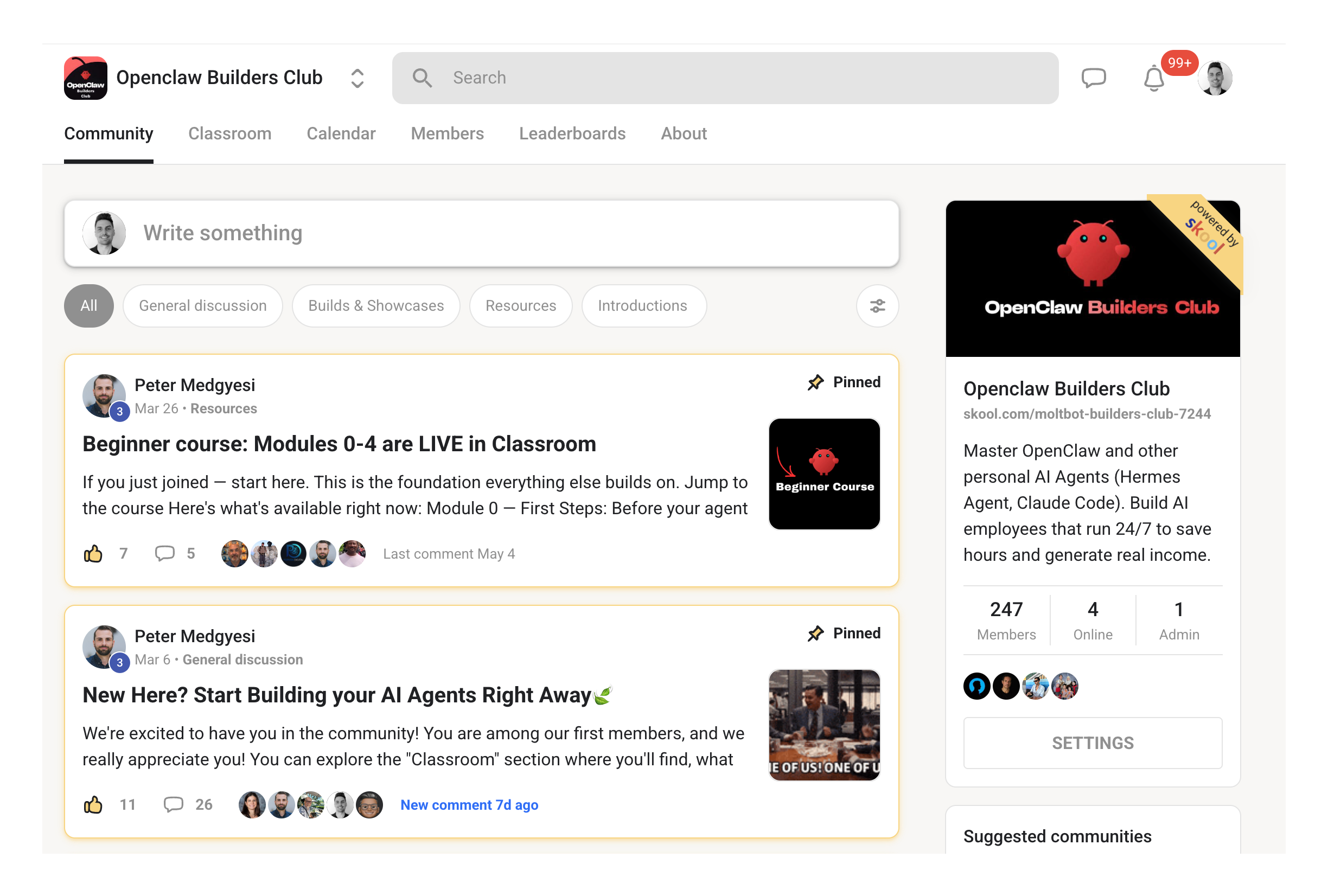
Our first 30 members will be part of our founding member group with free perks and discounts.
Come join and build together with like-minded learners and builders.
✅ 250+ members and counting!
The Problem
Your competitors change their pricing, they launch new features, and they shift their messaging. And most of the time, you find out when a prospect mentions it in a call.
That’s the moment you realise you’re already behind. This walkthrough shows you how to build an autonomous competitive intelligence system that monitors competitor websites, pricing pages, product launches, and messaging, then delivers actionable briefs to your sales and product teams before you’re caught off guard.
What You’re Building
An autonomous competitive intelligence system that tracks your competitors around the clock and alerts you to changes that matter. Here’s what it does:
Automated website monitoring that checks competitor pricing pages, feature lists, and messaging daily
Content intelligence that tracks blogs, case studies, and press releases for positioning shifts
Pricing alerts that detect pricing changes, new tiers, and promotions within 24 hours
AI powered analysis that categorises every change and scores it by threat level
Weekly competitive briefs auto generated and delivered to Slack or email every Monday morning
Battlecard generation that keeps your sales team prepared for every competitive conversation
Build time: 2 to 3 hours. Technical complexity: Medium. You’ll configure monitoring targets, set up a database, and deploy a scraper with AI analysis.
The Business Case
73% of B2B buyers compare three or more vendors before purchasing. Companies with competitive intelligence systems win 40% more deals than those flying blind. Yet most sales teams still rely on manual competitive research, which consumes 6 to 12 hours per week per rep and still misses critical changes.
Your reps are checking competitor websites manually. They’re asking prospects what they’ve heard. They’re scrambling to update battlecards after a deal is lost. Meanwhile, your competitor just dropped their enterprise pricing by 20%, launched a case study in your target vertical, and published three blog posts positioning against you. Your team finds out two weeks later when a prospect asks why you’re more expensive.
“The best competitive intelligence isn’t what you discover after losing a deal, it’s what you know before the prospect even mentions the competitor.”
This system eliminates that lag. It monitors competitor websites daily, detects changes in pricing and messaging, runs AI analysis to classify the threat level, and delivers a weekly brief with recommended actions.
When a critical change happens, like a major pricing shift or new product launch, it sends a real time alert to Slack so your team can respond immediately.
The Math
Here’s the ROI for a single sales rep at a B2B company:
Scenario: One sales rep doing manual competitive research
Time spent per week on competitive research: 10 hours
Hourly rate (loaded cost): $75/hour
Weekly cost: 10 hours × $75 = $750/week
Annual cost: $750 × 52 weeks = $39,000/year
Scenario: AI powered competitive intelligence agent
OpenAI API cost for GPT 4 analysis: $10 to $30/month
PostgreSQL hosting (self hosted or managed): $0 to $15/month
Docker hosting on Railway or Render: $5 to $20/month
Total monthly cost: $15 to $65/month
Annual cost: $180 to $780/year (average $300/year)
Time savings
Manual research time: 10 hours/week
AI system review time: 15 minutes/week
Time saved: 9.75 hours/week = 507 hours/year
Net annual ROI per sales rep
Annual savings: $39,000 minus $300 = $38,700/year
Payback period: First competitive win
ROI multiple: 129x
If you have a team of five sales reps, that’s $193,500/year in recovered time. If you’re an agency, you can build this once and sell it to clients as a competitive intelligence service for $500 to $2,000/month.
💼 Business Opportunity: Package this system as a white label competitive intelligence service for B2B clients. Charge $1,000/month per client, costs you $50/month to run. Deploy to 10 clients and you’re generating $9,500/month in net profit from a system you built once.
Want to turn competitor tracking into recurring revenue?
➡️ Join our Skool community
Who This Is For
B2B sales leaders tired of hearing about competitor moves from prospects instead of their own team
Agency owners who need to monitor competitive positioning for multiple clients
Product teams who want early signals on competitor feature launches and messaging shifts
Founders competing in crowded markets where pricing and positioning change constantly
Sales reps who spend hours every week manually checking competitor websites and still miss critical updates
Marketing teams responsible for maintaining competitive battlecards and positioning docs
System Architecture
The system runs on a continuous monitoring loop. First, you define your competitive landscape in a configuration file, listing the competitors you want to track and which pages to monitor (pricing, features, blog, case studies). The scraper uses Playwright to visit those pages daily or weekly, extracts the content, and takes screenshots for visual comparison.
Every piece of content gets hashed and stored in a PostgreSQL database. When the scraper runs again, it compares the new hash to the previous one. If they match, nothing changed. If they differ, the system triggers a change detection workflow.
The AI analysis layer uses GPT 4 Turbo or Claude 3.5 Sonnet to compare the old content to the new content, classify the type of change (pricing, messaging, feature, content, or visual), score the severity (critical, high, medium, low), and generate a summary with recommended actions. Critical changes trigger immediate alerts to Slack. Everything else gets bundled into a weekly brief that’s auto generated and delivered every Monday morning.
What You’re Building
This is a phased walkthrough. Each phase builds on the previous one, and by the end you’ll have a fully autonomous competitive intelligence system running in production.
1. Define Your Competitive Landscape
You start by creating a configuration file that lists every competitor you want to monitor. For each competitor, you specify their website, their tier (primary, secondary, or monitor only), and which pages to track.
For primary competitors, you’ll monitor pricing pages daily, feature pages weekly, and blogs daily via RSS feeds. For secondary competitors, you might only check pricing weekly. For tier three competitors (big platforms like Salesforce or HubSpot), you monitor occasionally to spot macro shifts.
You also define known strengths and weaknesses for each competitor. These feed into the AI analysis later, so the system understands context when it detects a change. If a competitor’s known weakness is complex setup and they publish a case study about fast implementation, the AI flags it as a high severity messaging shift.
💡 Tip: Start with your top three direct competitors. You can always add more later, but focusing on three ensures you get value immediately without overwhelming your team with alerts.
You can also configure review monitoring for platforms like G2 and Capterra, keyword tracking for industry terms, and LinkedIn monitoring for competitor job postings and leadership content.
2. Set Up Your Database
The system needs a PostgreSQL database to store snapshots, changes, and analysis. You’ll create five core tables: competitors (your competitive landscape), snapshots (every version of every page you scrape), changes (detected differences with AI analysis), review sentiment (analysis of customer reviews), and win/loss data (your competitive outcomes).
The snapshots table stores the full text and HTML of each page, plus a content hash for fast comparison. When the scraper runs, it checks if the new hash matches the last snapshot. If not, it logs a change. The changes table stores the old snapshot ID, the new snapshot ID, the AI analysis, and the recommended action.
Indexes on competitor ID, page type, and timestamp ensure fast queries when generating weekly briefs or searching for historical changes.
📌 Pro Note: If you’re running this on a budget, you can self host PostgreSQL using Docker for free. If you want managed hosting, Railway and Render both offer PostgreSQL for $5 to $15/month with automatic backups.
3. Build the Scraper Module
The scraper uses Playwright to visit competitor pages, extract content, and take screenshots. It runs in headless mode with stealth plugins to avoid detection. For each page, it extracts the full body text and HTML, or it targets specific CSS selectors if you only want to monitor certain sections (like a pricing table or feature list).
Every piece of content gets hashed using SHA 256. The scraper queries the database for the last snapshot of that page, compares hashes, and if they differ, it saves the new snapshot and triggers change detection.
Screenshots are saved for visual diff comparison. This catches changes that don’t affect the text, like layout shifts, image swaps, or design updates.
“Most competitive intelligence systems only track text changes, but visual changes in design and layout often signal bigger strategic shifts.”
⚡ Example: If your competitor redesigns their pricing page to emphasise annual plans over monthly, that’s a strategic shift toward higher LTV customers, even if the actual prices didn’t change.
4. Add AI Analysis
When a change is detected, the system sends the old content and new content to GPT 4 Turbo or Claude 3.5 Sonnet with a structured prompt. The prompt includes the competitor’s name, known strengths and weaknesses, and the page type.
The AI classifies the change (pricing, messaging, feature, content, or visual), scores the severity, writes a summary of what changed, analyses the implications, and recommends actions for your sales or product team. It also identifies potential threats (things that put you at a disadvantage) and opportunities (weaknesses you can exploit).
Critical changes trigger immediate Slack alerts. Everything else gets queued for the weekly brief.
🎯 Pro Note: Use structured JSON output mode in the OpenAI API to ensure the response is always parsable. This avoids errors when the AI returns unstructured text.
The AI can also analyse customer reviews from G2 or Capterra. It extracts sentiment scores, identifies common complaints and praises, and flags themes that appear frequently. If multiple reviews mention slow support response times, the system surfaces that as an opportunity to position your faster support.
Want to learn OpenClaw and agent systems but are stuck, don’t have the motivation, or missing the helpful group space that makes all of this easier, this is for you?
Join fellow founders and B2B owners and build together in our Skool community.
5. Orchestrate the Monitoring Schedule
The orchestrator is the brain of the system. It reads your competitor configuration, schedules monitoring runs using cron syntax, and coordinates the scraper, change detection, and AI analysis.
You’ll set up two cron jobs: daily monitoring (runs at 6 AM every day) and weekly brief generation (runs at 9 AM every Monday). The daily job checks all pages marked for daily monitoring, saves snapshots, detects changes, and triggers AI analysis. The weekly job queries the database for all changes from the last seven days, groups them by severity, and generates a formatted brief.
Critical alerts go to Slack immediately. The weekly brief gets posted to a dedicated Slack channel or sent via email.
📊 Example Output: Your weekly brief arrives every Monday morning with critical alerts at the top (competitor dropped enterprise pricing 20%, new entrant launched with AI first messaging), tracking updates in the middle (competitor added three healthcare case studies, published five blog posts on automation), and recommended actions at the bottom (update sales deck slide 12, create response blog post, prepare support case study for next three calls).
Ready to stop missing competitor moves?
➡️ Get instant access
6. Deploy to Production
You’ll package the system using Docker and deploy it to a hosting platform like Railway, Render, or Vercel. The Docker container includes Node.js, Playwright with Chromium, and all dependencies. A docker compose file orchestrates the app container and the PostgreSQL container, with environment variables for your OpenAI API key, Slack webhook URL, and database connection string.
Once deployed, the system runs continuously. The cron scheduler handles all monitoring automatically. You don’t need to touch it again unless you want to add more competitors or adjust monitoring frequency.
🔒 Tip: Store your OpenAI API key and Slack webhook URL as environment variables, never in your codebase. Most hosting platforms provide a secrets manager for this.
You can also expose an API so other systems can query competitive data, trigger manual checks, or log win/loss outcomes from your CRM.
7. Generate Battlecards
The system can auto generate competitive battlecards for your sales team. A battlecard is a one page doc that covers positioning, differentiators, objection handling, and landmine questions for a specific competitor.
When you request a battlecard, the AI pulls recent changes, win/loss data, and review sentiment, then writes a formatted doc with a positioning statement, three key differentiators, objection handlers for the competitor’s top strengths, and questions designed to expose their weaknesses.
Battlecards get saved to Notion, Google Docs, or your CRM, and updated automatically whenever significant changes are detected.
📄 Example Output: Battlecard for Competitor A.
Positioning: We’re faster to implement and easier to scale.
Differentiators: 1) AI first architecture vs their legacy automation, 2) 48 hour setup vs their 3 week onboarding, 3) transparent pricing vs their custom quotes.
Objection handling: If they say Competitor A has more enterprise features, respond with: Most teams never use those features, and the complexity slows down rollout. What matters is time to value.
Landmine question: How long did your last implementation take with your current provider?
8. Track Win/Loss Data
Every time your sales team wins or loses a competitive deal, they log it in the system. The record includes the competitor, the deal value, the outcome, the reason, and any prospect feedback.
Over time, this builds a database of competitive outcomes. The AI can analyse trends, identify which competitors you win against most often, surface the most common reasons for losses, and recommend positioning adjustments.
This data also feeds back into battlecard generation and weekly briefs, creating a feedback loop that makes your competitive intelligence smarter over time.
💼 Business Opportunity: If you’re an agency, offer win/loss interview services to clients. Charge $500 per interview, transcribe the calls, extract competitive mentions using AI, and feed them into the client’s competitive intelligence system. This turns a manual service into a scalable data product.
Next Steps After Building
Once your system is live, start with a pilot phase. Add your top three competitors and monitor their pricing and blog pages for two weeks. Review the first weekly brief with your sales and product leaders. Adjust the monitoring frequency and AI analysis prompts based on feedback.
Then expand coverage. Add more competitors, monitor review sites like G2 and Capterra, and track LinkedIn activity. Integrate the system with your CRM so competitive mentions in sales calls get logged automatically.
Train your sales team to use the weekly briefs and battlecards. Make it part of your Monday morning sales standup. When a critical alert comes in, assign someone to own the response and update your positioning.
If you’re an agency, package this as a service. Offer it to clients as a standalone competitive intelligence product for $1,000 to $2,000/month. You can also white label the weekly briefs and battlecards and deliver them under your brand.
Build this for your clients and charge for it.
➡️ Start building today
Companion Resources
Web scraping with Playwright – Learn stealth techniques to avoid detection when monitoring competitor sites at scale
AI powered content analysis – Build semantic diff engines that detect meaning changes, not just text changes
CRM integration patterns – Auto log competitive mentions from sales calls and emails into your intelligence system
PostgreSQL performance tuning – Optimise snapshot storage and querying for monitoring hundreds of pages daily
Review sentiment analysis – Extract competitive insights from G2, Capterra, and Trustpilot reviews using AI classification
✅ Final Checklist
[ ] Create your competitors.json file with your top 3 direct competitors and the pages you want to monitor
[ ] Set up a PostgreSQL database with the five core tables for snapshots, changes, reviews, and win/loss tracking
[ ] Deploy the scraper and AI analysis modules to Docker and run your first monitoring cycle
[ ] Configure your Slack webhook and verify you receive critical alerts when pricing or messaging changes
[ ] Generate your first weekly brief and share it with your sales and product teams to gather feedback and refine monitoring
🤝 Need help launching and running your OpenClaw agents and setup?
Here to help and chat if you have questions, want to see more, or set up your own systems for your agency or daily workflows. Ping us anytime.
Ready to see more? Jump on a 15 min video call with us.
☕ Have a virtual coffee with Matt Malishev or Peter Medgyesi
⬇️ Follow us
Follow Matt Malishev on LinkedIn
Follow Peter Medgyesi on Linkedin
Email: matt@99foldai.com
Email: peter@agenticinternational.com